


Dictionary - Merriam-Webster
3.738.16K Reviews
App Specs
- Version
- 5.6.2
- Updated On
- License
- Free
- Downloads
- 50,000,000+
- Developer
- Merriam-Webster Inc.
- Categories
- Books & Reference
- Platform
- Android, iOS
Screenshots
 Analysis by AppCompare
I reach for a dictionary when a word slows me down: perhaps I have heard it but do not know how to spell it, or I understand a definition but want to check how the word fits in a sentence. That focused job is where Dictionary - Merriam-Webster earns its place. It is a free reference app from Merriam-Webster Inc., built around quick word lookups, with extra ways to explore language when I have more time.
A dictionary that rewards a closer look
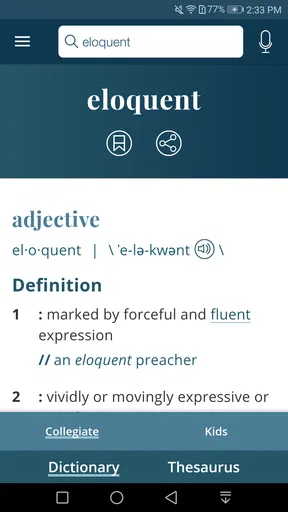
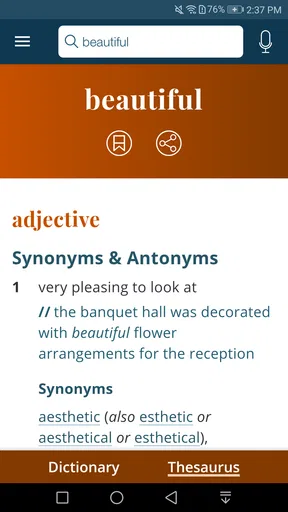
The app’s central strength is not simply that it returns a definition; it gives me a place to follow a word beyond its first meaning. Synonyms, antonyms, translations, and example sentences can help turn a quick lookup into a more useful check of tone and usage. When I am choosing between two similar words, that extra context matters more than a bare one-line gloss.
I would treat those supporting details as guides rather than a substitute for judgment. A synonym may not fit every sentence in the same way, and a translation can be a starting point rather than a complete account of meaning. I find the examples especially useful for noticing how a word behaves in context before I try it in my own writing.
How I use it when a word gets in the way
In ordinary use, I open the app, put the word in the search bar, and scan the definition before deciding whether I need to read further. If spelling is uncertain, voice search offers another way to start. That can be handy when I have heard a word aloud and cannot confidently type it, though a spoken search is still only as useful as the app’s interpretation of what I said.
My practical tip is to check the example sentence before borrowing a word for a message, essay, or work document. Then look at the synonyms if the definition feels too broad. This small two-step habit helps me avoid choosing a word that is technically related but sounds wrong for the situation. For a spelling puzzle, I use the definition and related words to understand possibilities, rather than assuming every suggested alternative is interchangeable.
A useful companion for reading and study
A realistic use for me is reading an article on a commute and pausing at an unfamiliar term. With the dictionary’s offline access available after downloading its data, I can look up words even when the connection drops. That makes it more dependable than a web search in places with unreliable service, and it avoids the distraction of opening a browser and sorting through general search results.
Students can use the same approach while reviewing a text: check the meaning, notice the example, then return to the sentence that prompted the search. Writers may find the synonyms and antonyms useful while revising, but I would still read the whole sentence aloud or in context before making a change. The app can help clarify a choice; it cannot decide the voice or nuance a piece of writing needs.
Worth Reading Before You Choose

Switching to Android Auto Means Rethinking Your Driving Routine

Google Calendar Makes a Crowded Week Easier to Manage

Baby Panda World Brings Quick Play to Modern Phones, but Its Game Library Feels Busy

ESPN’s Live Game View Makes Following Close Games Easier

QuizzLand Review: A Good Fit for Short Trivia Breaks, Not Every Player

Basketball Stars: Multiplayer Is Fast, but Can It Recover When Matches Go Wrong?
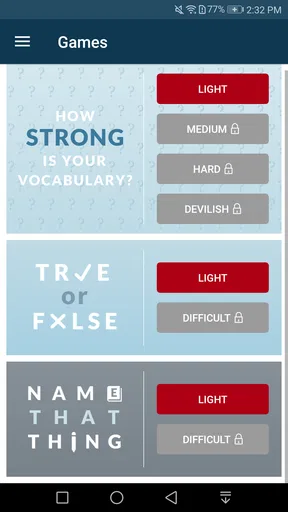
For ongoing vocabulary practice, Word of the Day gives curious readers a low-pressure prompt, while the quizzes and word games add a more active option. I see those as supplements, not a structured course. Someone who wants a planned sequence of lessons or detailed progress tracking may be better served by a dedicated language-learning tool.
Where it fits among dictionary options
Compared with a quick web search, this app keeps the task centered on word meanings and related language instead of mixing in pages, ads, and unrelated results. Compared with a translation app, it is a better first stop when the question is what an English word means or how it is used; translation is helpful, but it does not always explain shades of meaning. If I need broad multilingual sentence translation, I would choose a tool built for that job instead.
The trade-off is that a dedicated dictionary is not an all-purpose writing assistant. It can help me inspect a word, but I should not expect it to judge an entire paragraph, explain a specialist topic in depth, or replace a teacher’s feedback. I also keep in mind that offline lookup depends on downloading the relevant data first, so I would prepare before a flight or a stretch without service rather than assume every lookup will work immediately.
Who will get the most from it
I would recommend it to readers who often meet unfamiliar words, students checking vocabulary as they study, and writers who want a compact reference while drafting. It is also a sensible everyday choice for anyone who prefers a dedicated dictionary to opening a browser every time a word causes a pause. The app is rated for Everyone, and its broad audience is part of its appeal: it can serve a quick school lookup as readily as a curiosity-driven browse.
It may be less suitable if you rarely need definitions, want a full language course, or mainly need translation across whole conversations. Its free entry point makes it easy to try, while optional in-app purchases are available for those who want more; I would check the purchase details in the app before deciding whether any paid option fits my needs. The important question is whether its dictionary-first approach matches the way you actually look up words.
Ever been in the middle of a conversation and suddenly blanked on a word? Or maybe you just love learning new words to impress your friends? Well, let me tell you, the Dictionary - Merriam-Webster app is like having a trusty language sidekick right in your pocket.
First Impressions
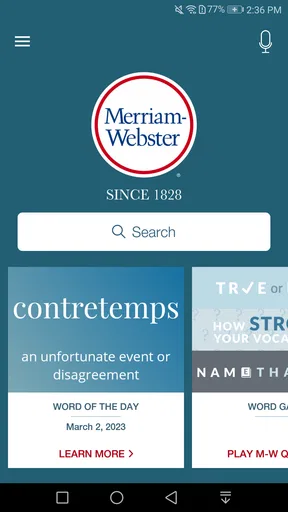
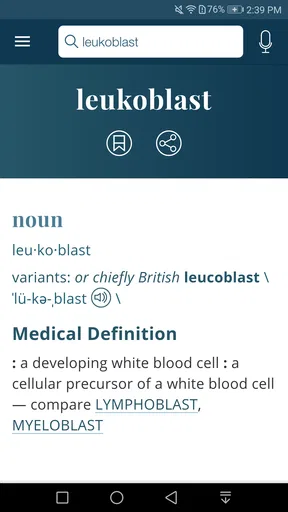
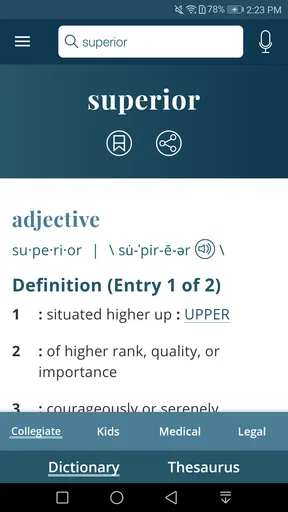
The first thing you'll notice when you open the app is its clean and intuitive interface. It's got this no-nonsense design that makes it easy for anyone to navigate, whether you're a tech whiz or someone who still struggles with emojis. The search bar is right at the top and it’s ready to help you find any word you're curious about.
Diving into Features
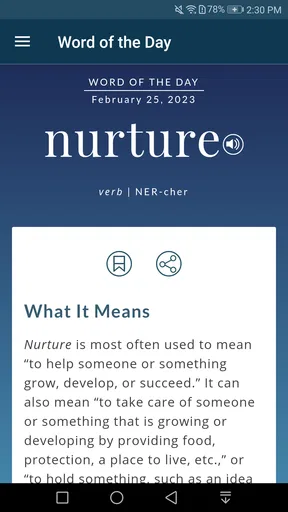
One of the coolest features is the Word of the Day. Every day, you get a new word delivered right to your app, and it's a great way to gradually expand your vocabulary without even trying. Imagine dropping "pulchritudinous" casually in a conversation. Now that’s a showstopper!
Of course, the app doesn't just give you definitions; it also provides synonyms, antonyms, and even translations for non-English speakers. The example sentences are super helpful too, giving you context so you can understand how to use the word properly.
And for those who are a bit competitive, the app includes some fun quizzes and word games. It’s like brain-training but with words! You’ll find yourself learning while having a bit of fun, which is always a win-win.
Offline Access
Another huge plus is the offline access. Once you’ve downloaded the data, you can look up words anywhere, even without an internet connection. This is a lifesaver when you're traveling or stuck somewhere with spotty service. No more worrying about being caught off guard by tricky words while reading a book on a plane.
Voice Search: Because Who Has Time to Type?
Sometimes typing out a word isn’t feasible, especially if you’re not sure how to spell it. That's where the voice search feature comes in. Just say the word, and the app does the rest. It's particularly handy when you're on the go or just feeling a bit too lazy to type.
User Experience
Using the app feels natural and effortless. The design is minimalistic, but it does the job perfectly. Everything loads quickly, so you’re never left waiting around for a definition to pop up. Plus, it’s available on both Android and iOS, so no one gets left out.
Final Thoughts
All in all, the app is a fantastic tool for anyone who loves words or just wants to improve their language skills. With its user-friendly design, wealth of features, and offline capabilities, it’s a must-have app for students, writers, or anyone who wants to sound a bit more articulate.
Whether you're crushing it on Scrabble or just want to impress your friends with your vocabulary prowess, this app has got your back. So why not give it a try? You might just find yourself falling in love with words all over again.
What to expect before installing
The app has been available since June 24, 2011, and its current version is 5.6.1. It has more than 50 million installs, an average rating of 3.7 from around 523,000 ratings, and about 38,000 written reviews. Those figures suggest that it is a familiar reference choice, but ratings alone cannot tell me whether its particular mix of dictionary tools suits my habits.
It is free to download, with in-app purchases priced from $1.99 to $9.99 per item. I would start with the free experience and decide whether I need anything beyond it, rather than treating an optional purchase as necessary for basic word lookups. The app supports devices running Android 6.0 or later, which is useful to check if I am installing it on an older phone.
A small routine that makes the app more useful
When I encounter a word in a book, I try to keep the original sentence in mind as I search. I read the definition, return to the sentence, and then check the example if I am still unsure. That order prevents me from memorizing a definition in isolation and helps me notice whether the word is formal, conversational, or simply unfamiliar to me. If I am reading offline, I make sure the dictionary data has been downloaded beforehand.
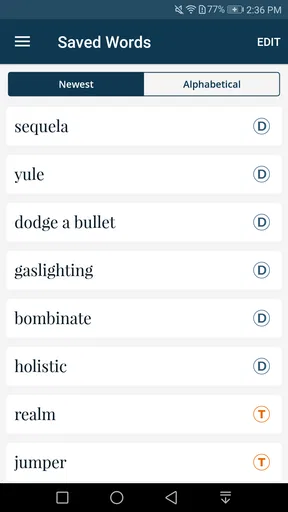
For a word I want to remember, I make a quick note in my own study materials instead of assuming that looking it up once will make it stick. The app is useful as a reference at the moment of curiosity; retaining vocabulary still takes repeated encounters and practice. Word of the Day can provide another prompt, but I get more from it when I try to use the word accurately rather than just collecting unusual terms.
Voice search is most helpful when I know how a word sounds but not how it is spelled. If the result is not the word I meant, typing a few letters or correcting the search is more reliable than repeatedly saying it. For names, highly specialized terminology, or words pronounced in an unfamiliar accent, I would not treat voice input as a perfect spelling solution.
Choosing it for the right job
For a quick definition, this is more focused than opening a general search engine, and its related words make it more useful than a bare dictionary result. For composing a polished piece, though, I would pair it with careful proofreading; a list of synonyms cannot tell me which option best matches the sentence’s rhythm or audience. Likewise, a learner who needs grammar practice, speaking exercises, or a guided curriculum should look beyond a dictionary app.
The most satisfying use is often modest: resolving one question without losing the thread of what I was reading or writing. That makes it a practical pocket reference rather than something I need to open constantly. If I want an extensive research source, a specialized subject dictionary or a larger reference work may be a better fit; if I just need a dependable everyday explanation and a few routes into the word, this app makes more sense.
My recommendation
I would keep it installed if I regularly read, study, write, or enjoy checking the exact meaning of words. Its dictionary-centered approach is easy to understand, and offline access, voice search, examples, and related-word tools give me several ways to handle a lookup. I would skip it if I only need whole-sentence translation or expect a structured course, because those needs call for different tools.
For me, the strongest reason to use it is that a brief search can answer a question and then let me get back to the page, conversation, or draft I was working on. The games and daily word offer lighter ways to explore, but the core value is that quick return to meaning and usage. If that is the language help you want close at hand, it is an approachable place to start.
Pros
- Comprehensive word database.
- Offline access available.
- Word of the Day feature.
- Voice search functionality.
- Example sentences included.
Cons
- Ads can be intrusive.
- Limited free features.
- Interface feels outdated.
- Occasional search lags.
- No thesaurus in free version.
FAQs for Dictionary - Merriam-Webster
What features does the Merriam-Webster Dictionary app offer?
The Merriam-Webster Dictionary app provides a comprehensive range of features including voice search, synonyms, antonyms, example sentences, and audio pronunciations. It also offers word games to enhance vocabulary, a word of the day feature, and offline access for definitions, making it a versatile tool for language enthusiasts.
Is the Merriam-Webster Dictionary app free to download and use?
Yes, the app is free to download and use. However, it offers in-app purchases for additional features, such as removing ads and accessing premium content. Users can enjoy the core functionalities without any cost, but for an ad-free experience and extra features, a subscription or one-time purchase may be required.
Does the app require an internet connection?
The Merriam-Webster Dictionary app allows users to access basic definitions offline, which is useful for those without constant internet access. However, some features, such as audio pronunciations and certain updates, may require an internet connection to function properly.
How user-friendly is the Merriam-Webster Dictionary app for beginners?
The app is designed with an intuitive interface, making it user-friendly for beginners. It includes straightforward navigation, easy-to-understand definitions, and helpful features like voice search. These elements ensure that even users new to dictionary apps can find it easy to use and navigate.
What makes the Merriam-Webster Dictionary app different from other dictionary apps?
The Merriam-Webster Dictionary app stands out due to its authoritative content, developed by America's leading dictionary publisher. It offers unique features like a word of the day, vocabulary quizzes, and comprehensive language resources, which are not as extensive in many other dictionary apps. Its reliable and trusted content is a key differentiator.


